
) Flink-CDC 抽取SQLServer問題總結(jié)背景flink-cdc 抽取數(shù)據(jù)到kafka 中使用flink-sql進(jìn)行開發(fā)相關(guān)問題總結(jié)flink-cdc 配置SQLServer cdc參數(shù)1.創(chuàng)建CDC 使用的角色, 并授權(quán)給其查詢待采集數(shù)據(jù)數(shù)據(jù)庫(kù)-- a.創(chuàng)建角色 create role flink_role; -- b.授權(quán)給角色 grant select on SCHEMA::dbo to flink_role; -- c. 角色添加給數(shù)據(jù)庫(kù)登陸用戶 alter role flink_role add member 登陸用戶;創(chuàng)建文件組用于存儲(chǔ)CDC捕獲SQLServer需要的數(shù)據(jù)文件-- a. 查詢文件組是否存在 select name AS filegroup_name ,type as filegroup_type from sys.filegroups; -- b.添加文件組 use 數(shù)據(jù)庫(kù) go alter database 數(shù)據(jù)庫(kù) add filegroup flinkFG go alter database 數(shù)據(jù)庫(kù) add file ( NAME rytbdat1, FILENAME D:\MSSQL\Data\rtybdat1.ndf, SIZE 50MB, MAXSIZE 500MB, FILEGROWTH 50MB ), ( NAME rytbdat2, FILENAME D:\MSSQL\Data\rtybdat2.ndf, SIZE 50MB, MAXSIZE 500MB, FILEGROWTH 50MB ) TO FILEGROUP flinkFG; --- 查看文件組 SELECT name AS 文件邏輯名稱, physical_name AS 物理文件路徑, (size * 8 / 1024) AS 文件大小MB, max_size AS 最大文件大小MB, growth AS 文件增長(zhǎng)量MB, type_desc AS 文件類型 FROM sys.database_files;執(zhí)行CDC配置并檢查是否成功--- enable cdc operation for datbase 數(shù)據(jù)庫(kù) ------- -- ****** m_rec_save ****** -- USE 數(shù)據(jù)庫(kù) GO EXEC sys.sp_cdc_enable_table source_schema N數(shù)據(jù)表名所在schema, -- Specifies the schema of the source table. source_name N數(shù)據(jù)表名, -- Specifies the name of the table that you want to capture. role_name Nflink_role, -- Specifies a role MyRole to which you can add users to whom you want to grant SELECT permission on the captured columns of the source table. Users in the sysadmin or db_owner role also have access to the specified change tables. Set the value of role_name to NULL, to allow only members in the sysadmin or db_owner to have full access to captured information. filegroup_name NflinkFG,-- Specifies the filegroup where SQL Server places the change table for the captured table. The named filegroup must already exist. It is best not to locate change tables in the same filegroup that you use for source tables. supports_net_changes 0 GO -- 檢查數(shù)據(jù)庫(kù)是否開啟CDC配置 USE 數(shù)據(jù)庫(kù); GO EXEC sys.sp_cdc_help_change_data_capture GO -- 檢查數(shù)據(jù)庫(kù)下開啟CDC配置的數(shù)據(jù)表 select is_cdc_enabled from sys.databases where name 數(shù)據(jù)庫(kù);工具版本Flink 1.15 Flink-CDC 2.3.0 SQLServer 2012問題一 flink-cdc 參數(shù)不支持增量快照解決選擇合適的Flink-CDC文檔部分版本不支持增量快照flink-cdc 2.3.0 schema-name未指定解決cdc參數(shù)添加 schema-name參數(shù)指定SQLServer中數(shù)據(jù)庫(kù)下面的schema名稱connector sqlserver-cdc , hostname localhost , port 1433 , username user, password password, database-name schema-name, schema-name dbo, table-name table_name鎖超時(shí)Caused by: com.microsoft.sqlserver.jdbc.SQLServerException: 已超過了鎖請(qǐng)求超時(shí)時(shí)段。定位思路SQLServer查詢阻塞進(jìn)程SELECT blocking_session_id ‘阻塞進(jìn)程的ID’, wait_duration_ms ‘等待時(shí)間(毫秒)’, session_id ‘(會(huì)話ID)’ FROM sys.dm_os_waiting_tasks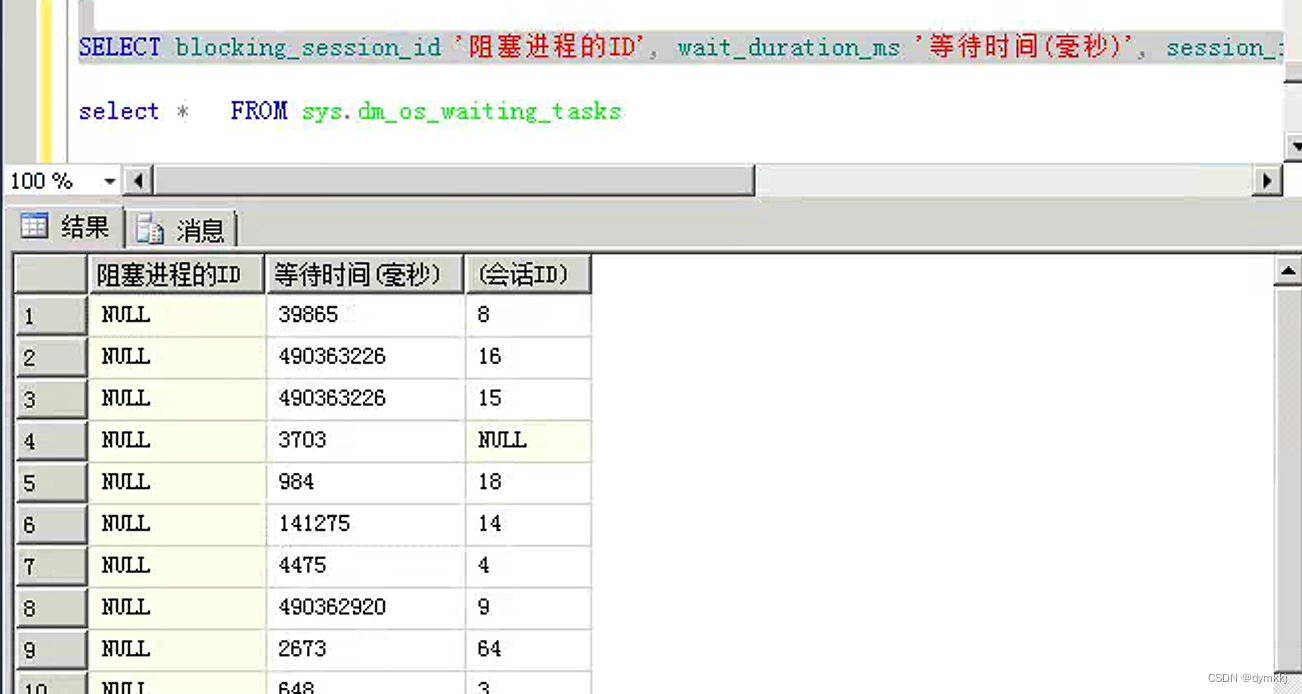 - 確定所在服務(wù)器,假設(shè)上述阻塞進(jìn)程ID為56 sp_who2 56登陸所在服務(wù)殺死所在服務(wù)器進(jìn)程因?yàn)槭莝ql-client提交的flink-cdc作業(yè)所以從yarn-ui作業(yè)找到application_id,然后kill yarn app -kill applicationid
Flink-CDC 抽取SQLServer問題總結(jié)背景flink-cdc 抽取數(shù)據(jù)到kafka 中使用flink-sql進(jìn)行開發(fā)相關(guān)問題總結(jié)flink-cdc 配置SQLServer cdc參數(shù)1.創(chuàng)建CDC 使用的角色, 并授權(quán)給其查詢待采集數(shù)據(jù)數(shù)據(jù)庫(kù)-- a.創(chuàng)建角色 create role flink_role; -- b.授權(quán)給角色 grant select on SCHEMA::dbo to flink_role; -- c. 角色添加給數(shù)據(jù)庫(kù)登陸用戶 alter role flink_role add member 登陸用戶;創(chuàng)建文件組用于存儲(chǔ)CDC捕獲SQLServer需要的數(shù)據(jù)文件-- a. 查詢文件組是否存在 select name AS filegroup_name ,type as filegroup_type from sys.filegroups; -- b.添加文件組 use 數(shù)據(jù)庫(kù) go alter database 數(shù)據(jù)庫(kù) add filegroup flinkFG go alter database 數(shù)據(jù)庫(kù) add file ( NAME rytbdat1, FILENAME D:\MSSQL\Data\rtybdat1.ndf, SIZE 50MB, MAXSIZE 500MB, FILEGROWTH 50MB ), ( NAME rytbdat2, FILENAME D:\MSSQL\Data\rtybdat2.ndf, SIZE 50MB, MAXSIZE 500MB, FILEGROWTH 50MB ) TO FILEGROUP flinkFG; --- 查看文件組 SELECT name AS 文件邏輯名稱, physical_name AS 物理文件路徑, (size * 8 / 1024) AS 文件大小MB, max_size AS 最大文件大小MB, growth AS 文件增長(zhǎng)量MB, type_desc AS 文件類型 FROM sys.database_files;執(zhí)行CDC配置并檢查是否成功--- enable cdc operation for datbase 數(shù)據(jù)庫(kù) ------- -- ****** m_rec_save ****** -- USE 數(shù)據(jù)庫(kù) GO EXEC sys.sp_cdc_enable_table source_schema N數(shù)據(jù)表名所在schema, -- Specifies the schema of the source table. source_name N數(shù)據(jù)表名, -- Specifies the name of the table that you want to capture. role_name Nflink_role, -- Specifies a role MyRole to which you can add users to whom you want to grant SELECT permission on the captured columns of the source table. Users in the sysadmin or db_owner role also have access to the specified change tables. Set the value of role_name to NULL, to allow only members in the sysadmin or db_owner to have full access to captured information. filegroup_name NflinkFG,-- Specifies the filegroup where SQL Server places the change table for the captured table. The named filegroup must already exist. It is best not to locate change tables in the same filegroup that you use for source tables. supports_net_changes 0 GO -- 檢查數(shù)據(jù)庫(kù)是否開啟CDC配置 USE 數(shù)據(jù)庫(kù); GO EXEC sys.sp_cdc_help_change_data_capture GO -- 檢查數(shù)據(jù)庫(kù)下開啟CDC配置的數(shù)據(jù)表 select is_cdc_enabled from sys.databases where name 數(shù)據(jù)庫(kù);工具版本Flink 1.15 Flink-CDC 2.3.0 SQLServer 2012問題一 flink-cdc 參數(shù)不支持增量快照解決選擇合適的Flink-CDC文檔部分版本不支持增量快照flink-cdc 2.3.0 schema-name未指定解決cdc參數(shù)添加 schema-name參數(shù)指定SQLServer中數(shù)據(jù)庫(kù)下面的schema名稱connector sqlserver-cdc , hostname localhost , port 1433 , username user, password password, database-name schema-name, schema-name dbo, table-name table_name鎖超時(shí)Caused by: com.microsoft.sqlserver.jdbc.SQLServerException: 已超過了鎖請(qǐng)求超時(shí)時(shí)段。定位思路SQLServer查詢阻塞進(jìn)程SELECT blocking_session_id ‘阻塞進(jìn)程的ID’, wait_duration_ms ‘等待時(shí)間(毫秒)’, session_id ‘(會(huì)話ID)’ FROM sys.dm_os_waiting_tasks - 確定所在服務(wù)器,假設(shè)上述阻塞進(jìn)程ID為56 sp_who2 56登陸所在服務(wù)殺死所在服務(wù)器進(jìn)程因?yàn)槭莝ql-client提交的flink-cdc作業(yè)所以從yarn-ui作業(yè)找到application_id,然后kill yarn app -kill applicationid Flink-CDC 抽取SQLServer問題總結(jié)
Flink-CDC 抽取SQLServer問題總結(jié)背景flink-cdc 抽取數(shù)據(jù)到kafka 中使用flink-sql進(jìn)行開發(fā)相關(guān)問題總結(jié)flink-cdc 配置SQLServer cdc參數(shù)1.創(chuàng)建CDC 使用的角色, 并授權(quán)給其查詢待采集數(shù)據(jù)數(shù)據(jù)庫(kù)-- a.創(chuàng)建角色 create role flink_role; -- b.授權(quán)給角色 grant select on SCHEMA::dbo to flink_role; -- c. 角色添加給數(shù)據(jù)庫(kù)登陸用戶 alter role flink_role add member 登陸用戶;創(chuàng)建文件組用于存儲(chǔ)CDC捕獲SQLServer需要的數(shù)據(jù)文件-- a. 查詢文件組是否存在 select name AS filegroup_name ,type as filegroup_type from sys.filegroups; -- b.添加文件組 use 數(shù)據(jù)庫(kù) go alter database 數(shù)據(jù)庫(kù) add filegroup flinkFG go alter database 數(shù)據(jù)庫(kù) add file ( NAME rytbdat1, FILENAME D:\MSSQL\Data\rtybdat1.ndf, SIZE 50MB, MAXSIZE 500MB, FILEGROWTH 50MB ), ( NAME rytbdat2, FILENAME D:\MSSQL\Data\rtybdat2.ndf, SIZE 50MB, MAXSIZE 500MB, FILEGROWTH 50MB ) TO FILEGROUP flinkFG; --- 查看文件組 SELECT name AS 文件邏輯名稱, physical_name AS 物理文件路徑, (size * 8 / 1024) AS 文件大小MB, max_size AS 最大文件大小MB, growth AS 文件增長(zhǎng)量MB, type_desc AS 文件類型 FROM sys.database_files;執(zhí)行CDC配置并檢查是否成功--- enable cdc operation for datbase 數(shù)據(jù)庫(kù) ------- -- ****** m_rec_save ****** -- USE 數(shù)據(jù)庫(kù) GO EXEC sys.sp_cdc_enable_table source_schema N數(shù)據(jù)表名所在schema, -- Specifies the schema of the source table. source_name N數(shù)據(jù)表名, -- Specifies the name of the table that you want to capture. role_name Nflink_role, -- Specifies a role MyRole to which you can add users to whom you want to grant SELECT permission on the captured columns of the source table. Users in the sysadmin or db_owner role also have access to the specified change tables. Set the value of role_name to NULL, to allow only members in the sysadmin or db_owner to have full access to captured information. filegroup_name NflinkFG,-- Specifies the filegroup where SQL Server places the change table for the captured table. The named filegroup must already exist. It is best not to locate change tables in the same filegroup that you use for source tables. supports_net_changes 0 GO -- 檢查數(shù)據(jù)庫(kù)是否開啟CDC配置 USE 數(shù)據(jù)庫(kù); GO EXEC sys.sp_cdc_help_change_data_capture GO -- 檢查數(shù)據(jù)庫(kù)下開啟CDC配置的數(shù)據(jù)表 select is_cdc_enabled from sys.databases where name 數(shù)據(jù)庫(kù);工具版本Flink 1.15 Flink-CDC 2.3.0 SQLServer 2012問題一 flink-cdc 參數(shù)不支持增量快照解決選擇合適的Flink-CDC文檔部分版本不支持增量快照flink-cdc 2.3.0 schema-name未指定解決cdc參數(shù)添加 schema-name參數(shù)指定SQLServer中數(shù)據(jù)庫(kù)下面的schema名稱connector sqlserver-cdc , hostname localhost , port 1433 , username user, password password, database-name schema-name, schema-name dbo, table-name table_name鎖超時(shí)Caused by: com.microsoft.sqlserver.jdbc.SQLServerException: 已超過了鎖請(qǐng)求超時(shí)時(shí)段。定位思路SQLServer查詢阻塞進(jìn)程SELECT blocking_session_id ‘阻塞進(jìn)程的ID’, wait_duration_ms ‘等待時(shí)間(毫秒)’, session_id ‘(會(huì)話ID)’ FROM sys.dm_os_waiting_tasks - 確定所在服務(wù)器,假設(shè)上述阻塞進(jìn)程ID為56 sp_who2 56登陸所在服務(wù)殺死所在服務(wù)器進(jìn)程因?yàn)槭莝ql-client提交的flink-cdc作業(yè)所以從yarn-ui作業(yè)找到application_id,然后kill yarn app -kill applicationid